Omnichannel Messaging, Warm Transfer Upgrades, Voicemail Drop & Custom End-Call Reasons
This month we focused on expanding where your agents can meet customers, making call transfers seamless and professional, and giving outbound teams new tools to convert every call attempt into a real conversation.
Omnichannel: SMS & WhatsApp
Your chat agents can now reach customers on SMS and WhatsApp, not just the web widget. Connect your own Twilio account, deploy a chat agent to one or both channels, and manage conversations across messaging platforms from a single workspace.
Bring your own Twilio. Link your Twilio account and deploy chat agents to SMS, WhatsApp, or both. Inbound and outbound messaging are supported on each channel.
Post-conversation webhooks. Every completed chat triggers a webhook with full conversation context, matching the post-call webhook pattern you already use for voice. Retries and exponential backoff are built in.
Inactivity timeouts and reminders. Configure how long to wait before automatically closing idle chats. Send a reminder message before the timeout to re-engage the customer and reduce abandoned conversations.
Reach customers where they already are. Instead of routing every interaction through your website, engage leads and support customers directly in the messaging apps they use daily.
Cross-channel handoffs between messaging and voice are on the roadmap.
Warm Transfer Enhancements
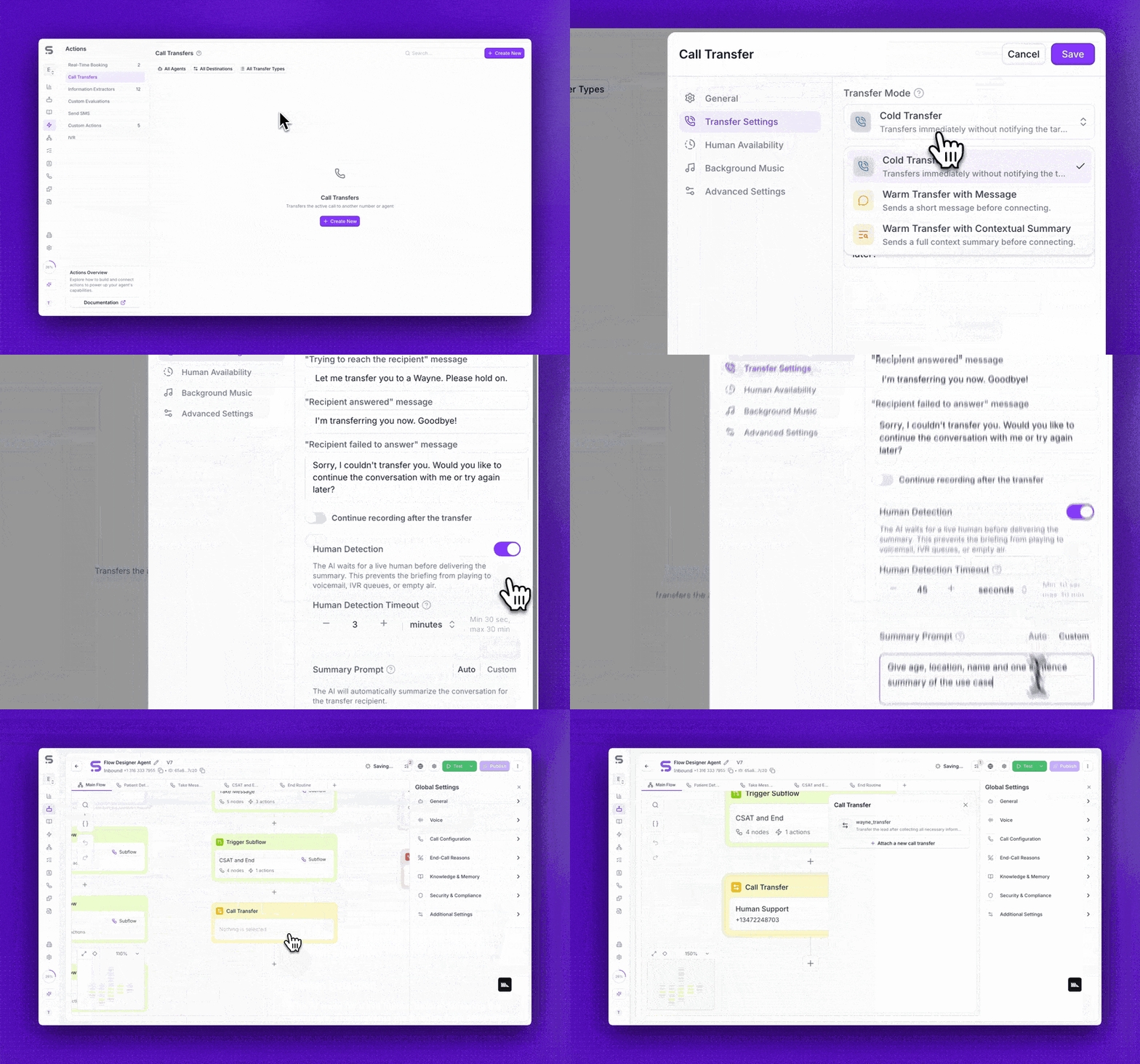
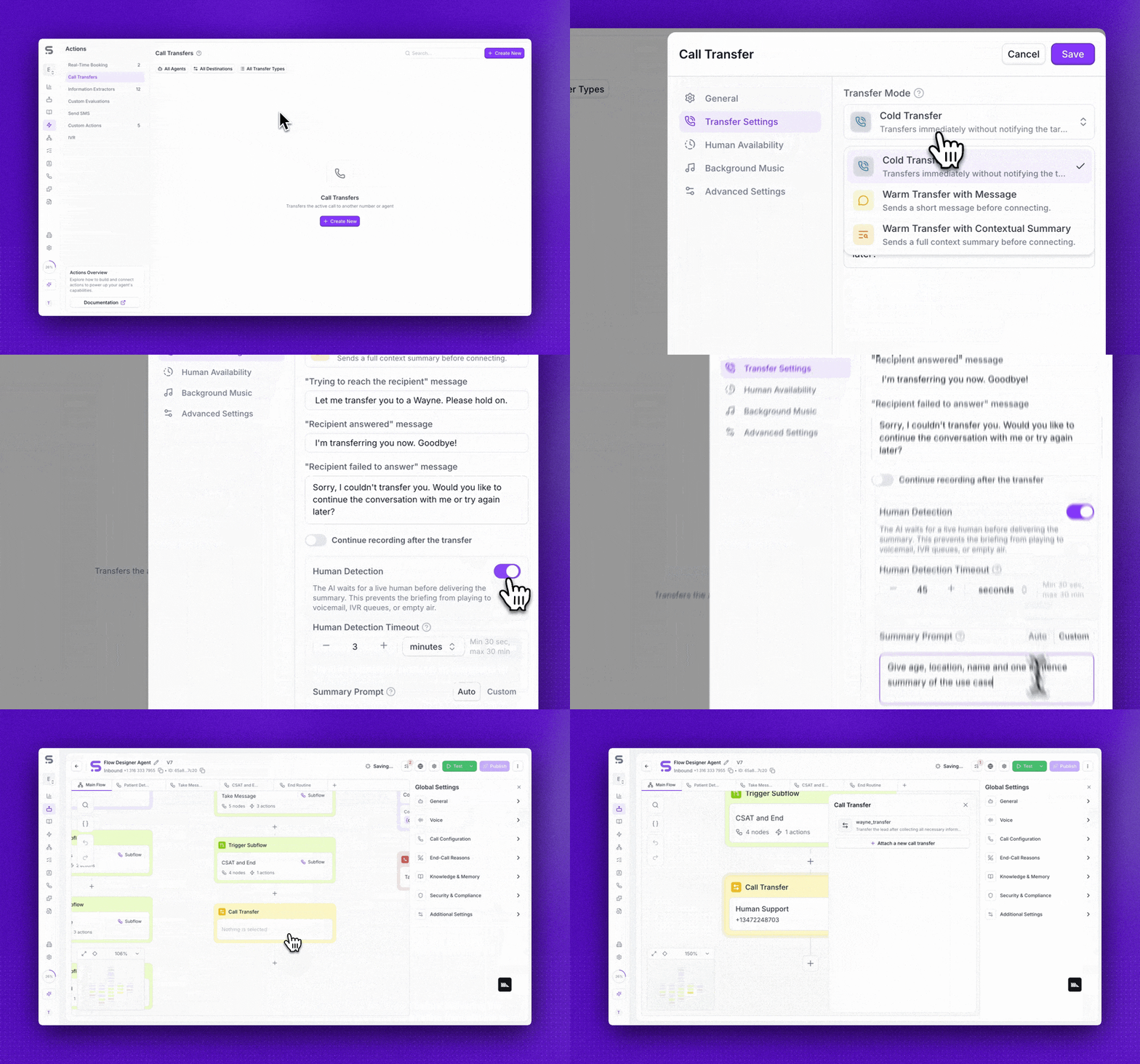
Warm transfers now handle the full complexity of real-world call routing. A suite of upgrades ensures every handoff is smooth, context-rich, and professional, whether you are transferring to a queue, an extension, or an external number.
Human detection. When transferring to a queue or IVR, the agent waits until a real person picks up before completing the handoff. No more dropping callers into hold music with no context and no one on the other end.
Custom transfer summary. Define the prompt that generates the briefing your transfer recipient hears. Control exactly what context is passed along so the next person picks up without asking the caller to repeat themselves.
Multilingual transfer messages. Transfer audio now matches the caller's language automatically. A Spanish-speaking caller hears a Spanish handoff message, even if your default language is English.
Voicemail Drop
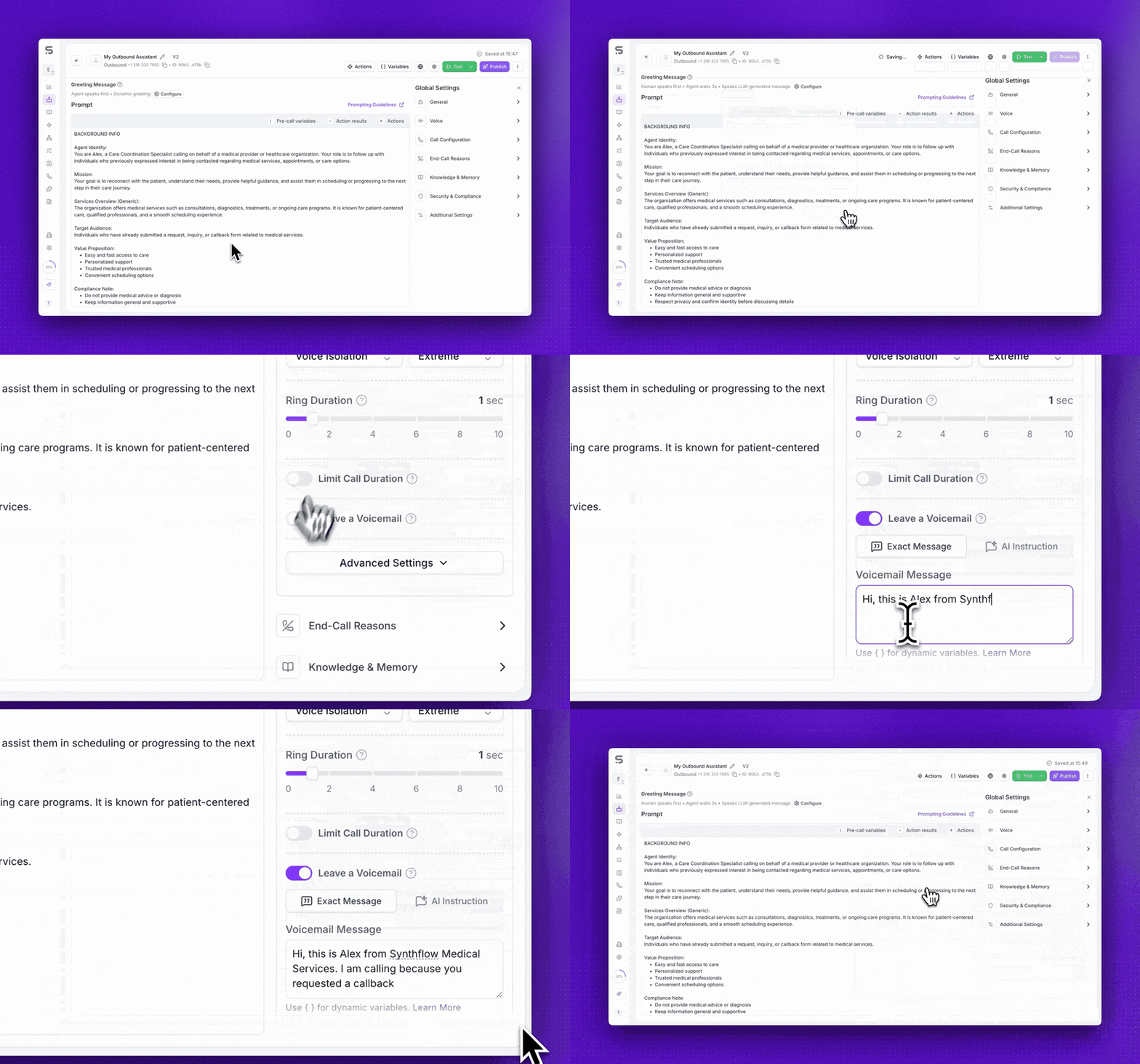
Your outbound agents can now leave voicemails when calls go unanswered. Instead of logging a missed attempt and moving on, the agent detects the voicemail tone and delivers a message, turning every unanswered dial into a branded touchpoint.
Fixed or AI-generated messages. Choose a static voicemail script or let the agent generate a personalized message based on your prompt and pre-call variables.
Automatic beep detection. The agent listens for the voicemail beep and begins speaking at the right moment, just like a human caller would.
New "left voicemail" status. Call logs now distinguish between unanswered calls and calls where a voicemail was successfully left, giving you accurate reporting on outbound coverage.
Convert missed calls into pipeline. Every unanswered dial becomes a message in the prospect's voicemail. Follow up knowing the lead has already heard from you.
Custom End-Call Reasons
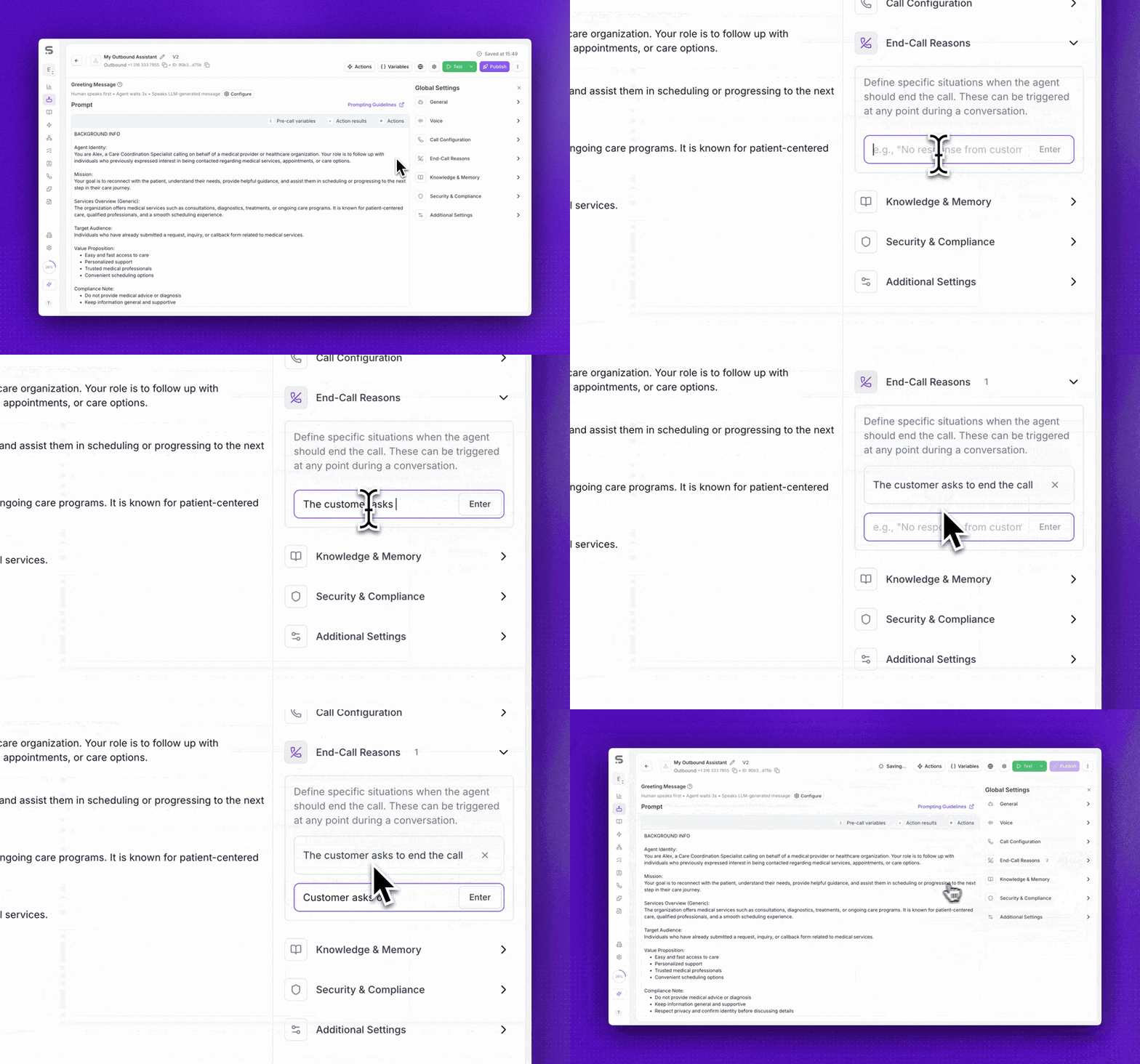
Define your own conditions for when a call should end automatically. Each end-call reason is a rule your agent evaluates during the conversation. When the condition is met, the call terminates and a labeled reason appears in the transcript.
Set up multiple end-call reasons per agent, each with its own trigger condition.
Works in simple prompt mode, FSM flows, and via the public API.
End-call reasons appear in call logs and post-call webhooks, so downstream automations can branch based on how each call ended.
Eliminate manual review of calls that should have been terminated earlier, like out-of-scope requests or confirmed opt-outs.
Knowledge Base: RAG Visibility in Call Details
You can now see exactly what your agent retrieved from the knowledge base during a call. The Call Details Actions tab displays every RAG lookup, including the query, the retrieved text chunks, response data, and timestamps.
Inspect the exact text chunks returned for any retrieval during a call.
Debug retrieval quality directly from call logs without reproducing the conversation.
A rebuilt knowledge base management interface also ships this month with drag-and-drop PDF upload, web import, full-text search, and inline item editing.
Spend less time guessing why an agent gave a wrong answer. See the source data it actually used.
Version History
Browse a read-only snapshot of any previous agent version and restore it with one click. Every time you deploy, the platform saves a versioned copy of the full configuration.
Compare your current draft against any previous live version.
Restore a prior version instantly if a recent change causes unexpected behavior.
No more screenshots or manual config tracking to remember what changed. Roll back with confidence.
Other Improvements
Call Management
Background noise fix. Resolved an issue where invalid background noise settings could degrade audio quality.
Integrations
Vonage number import. Customers using Vonage can now import their existing phone numbers into Synthflow.
Dynamic email for bookings. Cal.com booking actions now accept an email captured from the conversation instead of requiring a static value.
Chat & Widget
Markdown in chat. The chat widget now renders GitHub-flavored Markdown including tables, checkboxes, and formatted text.
Post-chat webhooks. Completed chat conversations now trigger webhooks with retry and backoff, matching the post-call webhook pattern.
Telephony
[Enterprise] TLS on SIP trunks. SIP trunks now support TLS for encrypted signaling with secure media fallback. Docs →
API & Developer Tools
Pagination. List endpoints now support pagination for better performance on large workspaces.
Billing & Account
Subaccount billing fixes. Corrected Stripe connected account handling, phone number limits under subaccounts, and event tracking accuracy.
Recording vs. billed duration tooltip. A new tooltip in call logs clarifies the difference between these two values.
UI/UX
US region for new customers. New accounts now see a region picker during onboarding to choose between US and EU infrastructure.
Model selection guidance. Updated recommendations for choosing the right AI model are now published, covering GPT-4.1, GPT-5.2, 4.1 nano, and more.
Deepgram language clarity. The UI now clearly shows which languages each Deepgram model supports.
Platform
API uptime. Platform reliability improved to approximately four nines.
Deprecations & Migrations
GPT-5 has been deprecated. We recommend upgrading to GPT-5.2, the latest model in the GPT-5 family. You can track all model lifecycle updates on our new Deprecation Notices page, and subscribe via RSS to receive future alerts automatically.